Friday, April 25, 2014

23 Mobile Things - Thing 14 : Videos

Thing 14 “With mobile devices that have cameras, it’s so easy to record videos and store them on your device or share them with the world, and people are sharing videos at the highest rates in history. YouTube Statistics claims that over 100 hours of video are uploaded every minute. Yes, every minute. And that’s just YouTube.”

I've been making videos in a variety of formats over the years-- via VHS (yes, direct to the big, old VHS tapes & yes, I'm that old), 8mm Sony Handcam, digital camera, and with my iPhone's camera. But I've not tried any of the video apps-- until now. 

Vine
I thought I'd give Vine a try just to see what I could do in 6 seconds. 6 seconds should work and be okay, yes? Well, my 1st attempt (link via graphic below) shows a few things-- my hands shake too much, and I tried to lump too much content into that little time frame (it makes me rather dizzy to watch). I did not include any sound-- not for a 1st try. 

My 1st Vine
But, like many things, this was a learning experience and a chance to think about how this could be used. What I learned? Don't try to string 6-7 things into one 6 second video using the stop/start. Maybe just make it 3 things or use a subject that doesn't require stop/start? Although my mind right now isn't coming up with any great ideas for that. Maybe I'll let our student ambassadors give it a try & see what they can do for the library with only a 6 second video?  


Monday, March 17, 2014

23 Mobile Things - Thing 13 : Presentations

Thing 13 "We've all seen PowerPoint presentations throughout the years, but with mobile devices there are many other types of presentations you can create. … Use at least one of these apps and create a presentation (real or fake doesn't matter, just play with the tool)."

I've been using PowerPoint (PPT) for a long. I used to teach Intro to PPT some years back and I still help students when they run into problems when using it for their coursework presentations.  So for me, looking at yet another "software" or app wasn't really an option. Yet I wanted the mobility that apps offer. But taking PPT mobile? How can I do this? 

I found the answer a number of months back when I searched for an app to use with my Info Lit/Library Intro/BI sessions. I happened upon SlideShark (free version) and it is awesome! I am convinced the stars were aligned that day & it was kismet. 

So I can still do my PPT creating/setup/editing via my PC (usually easier this way I think) yet use my iPad &/or iPhone during my actual presentation-- in live, real-time. 

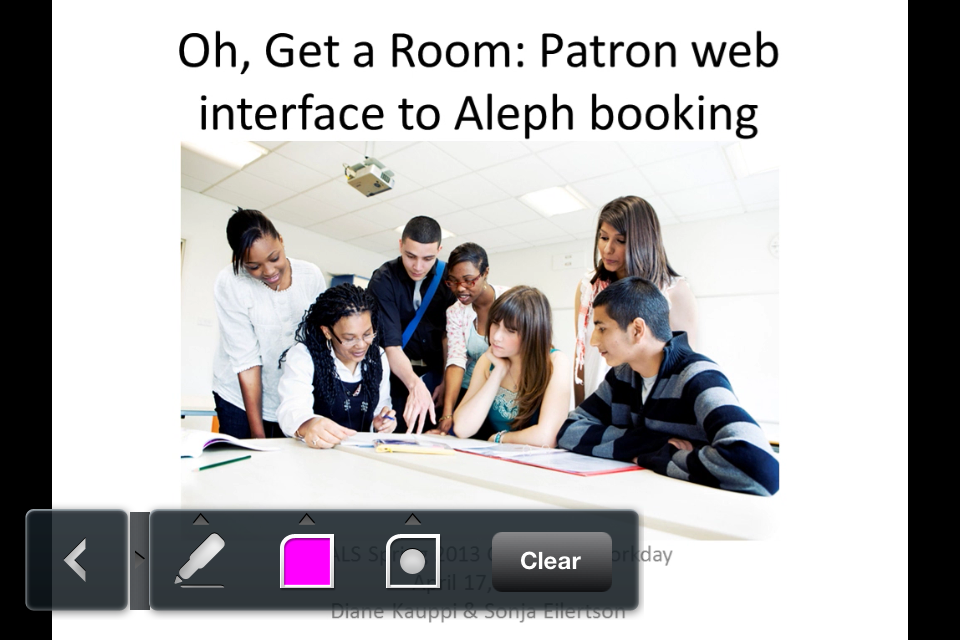
Here's a snip of my Home with a few PPTs I have downloaded (via my iPhone):


From the 1st snip I had one PPT not yet downloaded so I hit the download option & here it was working on downloading to my iPhone:


This snip is the view of an individual slide. A swipe to the right or tap on the screen advances the slide & a swipe to the left returns you to the previous slide: 


These snips show a menu of options I can use while on an individual slide. I can annotate anything displayed on the slide:


I can also hold my finger on the screen and a red pointer option appears that I can move across the slide to highlight content:


This snip shows other options available including Auto Play and Loop:


This app makes presentations & the presenter mobile. So depending on the configuration of a classroom or lecture hall I can work from a PC, my iPad, or my iPhone-- all via SlideShark. No longer am I tethered to a podium that's in an awkward position with my back to my audience. I can be mobile and free to walk around as I need with only my small iPhone in hand yet in full operation of my presentation. jd+Points overall for SlideShark

Here's their short SlideShark promo video


Friday, March 14, 2014

23 Mobile Things - Thing 12 : Books

Thing 12 “…explore apps that allow you to find books in general and give you access to free ebooks and audiobooks.”

I've had a LibraryThing account for a long time. I tend to use it heavily for awhile, then not so much. Right now I'm in the not so much mode. They don't have an app although they state on their website "We’re developing a full-fledged Librarything app. Until then, we have a simple mobile website." No timeline as to when this statement was posted or when the app might happen. Mobile site I guess is better than nothing but when I pulled up the site on my iPhone it did not automatically redirect to the mobile site. 


Even after I logged on it still didn't redirect to the mobile site. And I don't see an easy, quick link on the main page to go mobile. jd-Points

Since we're dealing mobile and apps here I'll forego further discussion on LibraryThing at this time.

goodreads I learned about after I'd already had time and books invested in LibraryThing so I wasn't sure I'd want to switch or ditch. And did I really have a reason for both? I'd say no. But now I thought I was more open to checking it out-- friends seem to like it and it does have an app so that makes it easy for quick reference on the go. I started off with the website and found that I could import my books from LibraryThing along with the majority of my other book related information. jd+Points. 

The app-- The main app screen has 2 screens worth of options. 


Right off the bat I spot the "Scan" option. This will come in handy. I scanned in the barcode of a title that I know I don't have in my library. And here's what it pulled up:


Brief info plus more details after selecting the title. From the 1st screen there's the option to "Shelve" it to my library. jd+Points for scanning ability.

Back to the main screen options and there is "Challenge". A way to challenge either yourself or to join in a reading challenge. At times I do tend to get stuck in a rut so a little butt-kicking might be a good thing. 


eBooks is another option. It tells me I've not downloaded any from goodreads so I select the option to see what's available. Here's a shot:


The results are the "Most Downloaded". I didn't go into any details but I'm guessing it offers a way to get the books whether for free or to buy. 

Recommendations are a big thing to me. I'm very often at a loss as to what I want to read next-- even though I have a title list of 200+ "to reads". I often ask others or search out "reads like" options to find my next read. It's usually a matter of wanting something different or not sure what topic I'm interested in at the moment. I need that just right suggestion at the right time. Picky I'd guess you say. 

I ck'd out the goodreads "Recommended" option. Here it offered genres from which to select.


I then select "next" and was asked to rate books in order to receive personalized recommendations. 


I worked through this recommendation process for awhile. If I rated a book (1-5 stars) it then would bring up another 3-5 similar selections to then possibly rate or ignore. This could take awhile. Especially if I need to go through each genre? I assumed so & chose not to finish right now. I'll go back another time when I can spare some time to waste. Note: I do like the "Want to Read" button option right there because there were quite a few titles that sounded good right away. jd+Points 

Lastly I looked at "My Books". At 1st glance I was a bit disappointed because all of my 289 titles were lumped into the "read" category. So that means that it did not transfer forward related details such as "to read", "read", "owned" etc. I guess I should have expected as much but I had hopes. More work to do to get things organized and to have "My Books" be truly informational and usable for me. Now will I do this by memory? Or will I need to have LibraryThing open in one tab with GoodReads open in another tab? 

Here's a shot of "My Books" (read) sorted by the "Author" option. Looks like the sort is in reverse/descending order? 


So a few glitches and some work to do but overall I think the goodreads app has promise for my needs. 

Other eBook apps
I do not have a Nook or a Kindle but I do have the free apps for both on my iPhone and my iPad. I tend not to use the Nook apps-- in fact now that I think of it I might have deleted them awhile back? There's just something about Nook that I don't like-- I think it's the singular, proprietary exclusivity of it-- it doesn't like to share. I have a few Kindle eBooks but I'll admit I'm really not much of an eReader. I'm not quite sure why because I'm a tech-lover but I still prefer to hold a book in my hands. Maybe it stems back to those grad school years reading countless journal articles that did me in? I'd download them and read via my iPad-- which I loved for reading those vs. print. The logic just isn't there.


Free eBooks
There seem to be many options for free eBooks. Here are a few popular ones:
Amazon (for Kindle)
Barnes & Noble (for Nook)
Project Gutenberg (epub & Kindle)

BookBub ("works with all major eBook retailers and devices")
plus as a librarian I'd be amiss not to put in a plug for libraries! Many public and academic libraries have eBooks in their collections-- all for free with your library card-- check it out today!