Showing posts with label Thing 13. Show all posts

Monday, March 17, 2014

23 Mobile Things - Thing 13 : Presentations

Thing 13 "We've all seen PowerPoint presentations throughout the years, but with mobile devices there are many other types of presentations you can create. … Use at least one of these apps and create a presentation (real or fake doesn't matter, just play with the tool)."

I've been using PowerPoint (PPT) for a long. I used to teach Intro to PPT some years back and I still help students when they run into problems when using it for their coursework presentations.  So for me, looking at yet another "software" or app wasn't really an option. Yet I wanted the mobility that apps offer. But taking PPT mobile? How can I do this? 

I found the answer a number of months back when I searched for an app to use with my Info Lit/Library Intro/BI sessions. I happened upon SlideShark (free version) and it is awesome! I am convinced the stars were aligned that day & it was kismet. 

So I can still do my PPT creating/setup/editing via my PC (usually easier this way I think) yet use my iPad &/or iPhone during my actual presentation-- in live, real-time. 

Here's a snip of my Home with a few PPTs I have downloaded (via my iPhone):


From the 1st snip I had one PPT not yet downloaded so I hit the download option & here it was working on downloading to my iPhone:


This snip is the view of an individual slide. A swipe to the right or tap on the screen advances the slide & a swipe to the left returns you to the previous slide: 


These snips show a menu of options I can use while on an individual slide. I can annotate anything displayed on the slide:
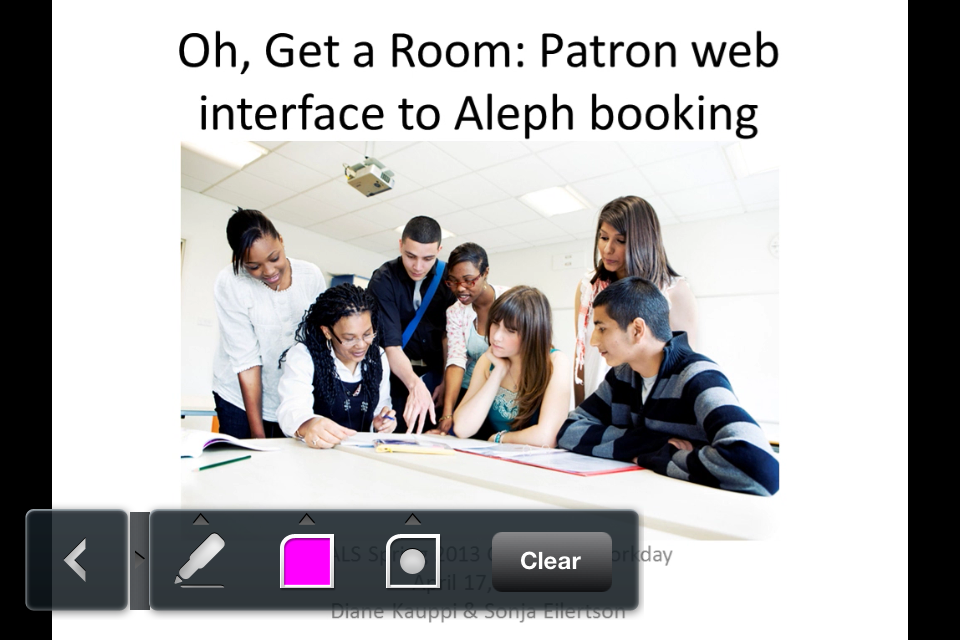


I can also hold my finger on the screen and a red pointer option appears that I can move across the slide to highlight content:


This snip shows other options available including Auto Play and Loop:


This app makes presentations & the presenter mobile. So depending on the configuration of a classroom or lecture hall I can work from a PC, my iPad, or my iPhone-- all via SlideShark. No longer am I tethered to a podium that's in an awkward position with my back to my audience. I can be mobile and free to walk around as I need with only my small iPhone in hand yet in full operation of my presentation. jd+Points overall for SlideShark

Here's their short SlideShark promo video


Wednesday, March 12, 2008

Thing 13 -- Online Productivity Tools

03/12/2008
Customized homepages -- I hate to sound like a broken record (okay I'm old enough to know this cliche!) but this is another thing on my to-do list ... hmm, maybe I should try one of those online to-do list tools! Anyway, I've looked at both iGoogle and PageFlakes prior and had not yet implimented one into use. I have also looked at and considered Netvibes. After looking at each I'm still unsure as to which I think I'd really like since a lot of the customization tools are similar. An option for me is to try one out for a week or two, then switch to another and then switch to the last. Then decide which I overall find more pleasing and useful.

Calendars -- Good idea but I think I'll stick with coordinating my schedule at work & home via my e-mail system. Maybe this would be more useful for groups of people?

Lists -- I'm not sure I'd use this type of feature. So far my brain is an information soak for my to-dos and I still love real paper sticky notes. Maybe the day will come that my brain won't have the remembering capacity but then I might not remember to add something to the online list or I might not remember that I added it to the list or I might not remember that I have an online list .... hmmm, I'll wait and see.

Backpack -- Again I'm not sure this would be useful to me ... at least not at this point in time. But it does look like a very useful tool especially for people who travel for work and give presentations. Maybe it will be come useful to me once I'm in grad school (if accepted!).